
Opera
Opera is a free web browser for Windows from Opera Software. The stable release is 136.0.6008.22, published on 17 September 2026.
133.1 MB

Cent Browser is a free Chromium-based browser for Windows from Cent Studio that adds mouse gestures, tab tweaks and other power-user options.
Average 0.0 · ratings: 0
Thank you! Your rating is saved; you can change it. Could not save the rating. Please try again later. Too many ratings from your network today. Please try again tomorrow. The average appears after 5 ratings.
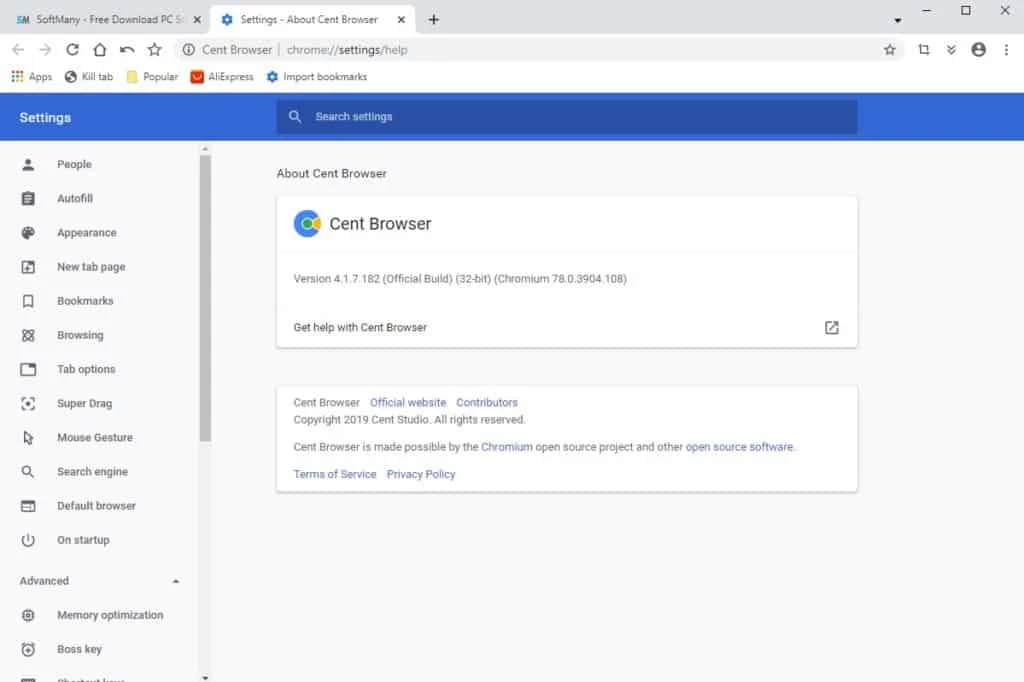
Cent Browser 5.2.1168.83 is a free web browser for Windows from Cent Studio, built on Chromium. You download Cent Browser if you like how Chrome renders sites and runs extensions, but want more built-in options for tabs, gestures and privacy without installing a dozen add-ons.
| Item | Details |
|---|---|
| Version | 5.2.1168.83 |
| Developer | Cent Studio |
| Engine | Chromium |
| System | Windows |
| Licence | free (proprietary) |
| Extensions | compatible with the Chrome Web Store |
| Size | about 108.79 MB according to catalogue data |
| Website | centbrowser.com |
Many Chromium-based browsers differ from Chrome mainly by branding. Cent Browser takes a different path and adds a long list of small conveniences that power users usually get from extensions. Mouse gestures let you go back, close a tab or reopen a closed one by drawing a quick shape with the right button held down. Super drag opens a link or searches for selected text when you drag it slightly. The tab bar can be tuned in detail: close tabs with a double click, keep the window open when the last tab is closed, show tabs in several rows, or restore a whole session. There is a boss key that hides all browser windows at once, a built-in option to clear data on exit, and a portable edition that keeps the profile in the program folder, so you can carry it on a USB stick. Because it is based on Chromium, sites look the same as in Chrome, and extensions from the Chrome Web Store install normally.
Security in any Chromium browser depends on how quickly the engine is updated. Check the version history to see which Chromium version the current release uses, and install updates when they appear. Download only from the official site.
Cent Browser is free, without paid tiers.
Cent Browser suits people who spend the whole day in the browser and like to shape it to their habits: keyboard and mouse fans, users who keep dozens of tabs open, and anyone who wants a portable browser with their settings on a flash drive. If you prefer a minimal browser that never changes, stable Chrome or Edge will feel simpler.
Other Chromium browsers on our site include Chromium itself, SRWare Iron Browser, Thorium Browser and Microsoft Edge. For a non-Chromium choice, see Waterfox or Pale Moon.
Opera is a free web browser for Windows from Opera Software. The stable release is 136.0.6008.22, published on 17 September 2026.

UC Browser for Windows is the desktop version of the web browser from UCWeb, a Chinese mobile internet company.

Google Translate is Google's multilingual machine translation service, used on Windows through the website and a browser extension.

Microsoft Edge is Microsoft's web browser, preinstalled on current Windows versions and available as a free download for reinstalling or updating.

Vivaldi is a free, highly customisable web browser from Vivaldi Technologies, based on Chromium and with a built-in email client. This page covers version 8.2 (4133.76).

Mozilla Firefox is a free and open-source web browser developed by Mozilla, available for Windows, macOS, Linux, Android and iOS.

Google Chrome is the free web browser from Google. The stable Windows release is 154.0.8037.58, out since 22 September 2026.